Confirm the payment before you complete the sale.
Built for cafés, restaurants and shops in Ethiopia. Scan the payment QR at the till, and every verified payment lands in the owner’s history.
 CBE
 BOA
 Awash
 Telebirr
 M-PESA
Screens show sample data.
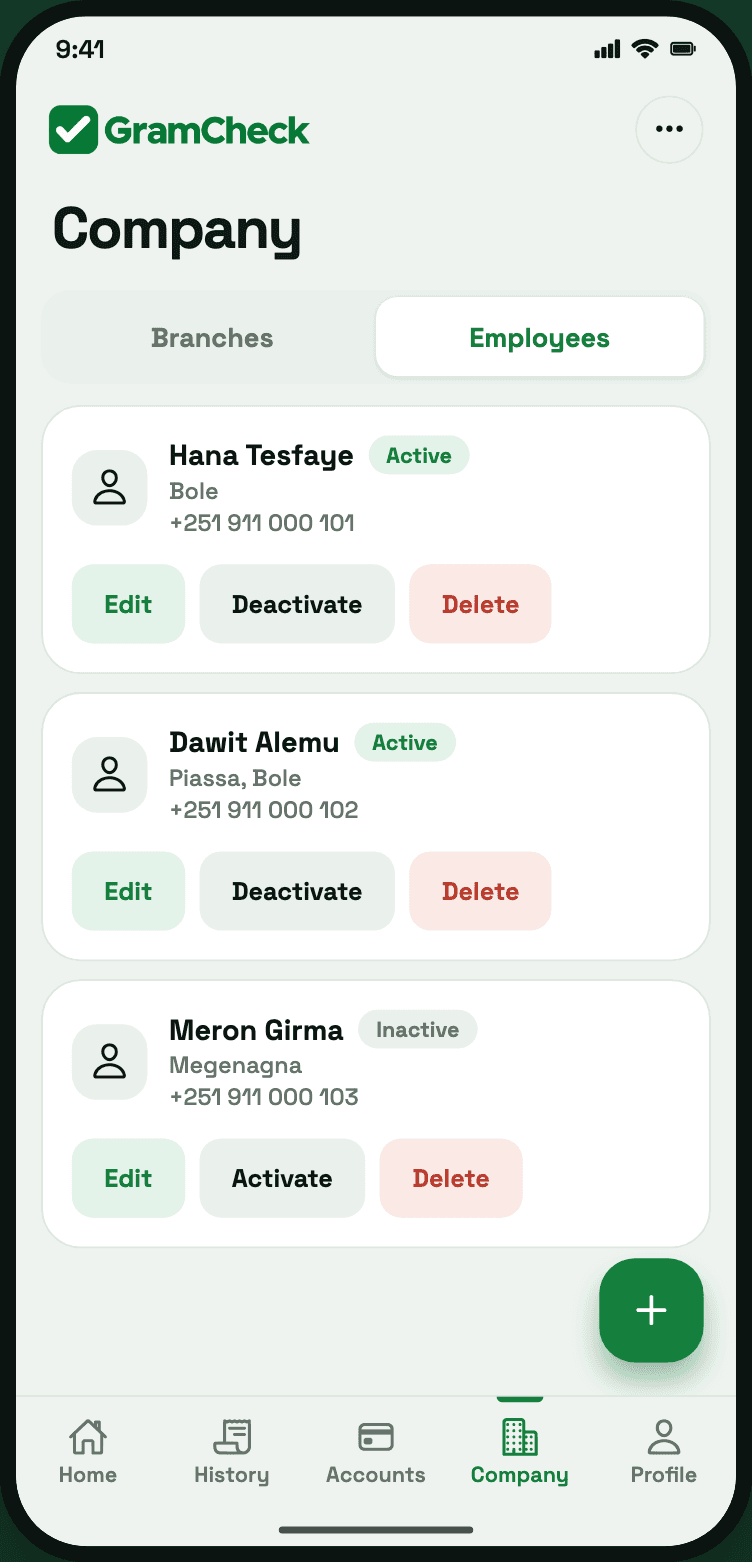
Every branch, every payment, one total.
Your cashiers scan at their own counters. Every verified payment is saved under their branch and rolls up to you, so you know what came in today without calling anyone.
Bole branch
14 scans todayETB 18,400.00
Piassa branch
13 scans todayETB 16,250.00
Megenagna branch
10 scans todayETB 13,600.00
Total (sample)ETB 48,250.00
Who took it
Each payment carries the employee who scanned it and the branch they work at.
Where it landed
Match receipts to the shop’s own accounts, so a payment to the wrong account stands out.
Ready to audit
Filter by today, week or month and open any receipt for amount, parties and reference.
Just one person checking a transfer? GramCheck works for individuals too. Get the app
The QR codes Ethiopian shops already take.
Five providers are live today. More Ethiopian banks can be switched on as their receipts are supported.
 Commercial Bank of EthiopiaLive
 Bank of AbyssiniaLive
 Awash BankLive
 TelebirrLive
 M-PESALive
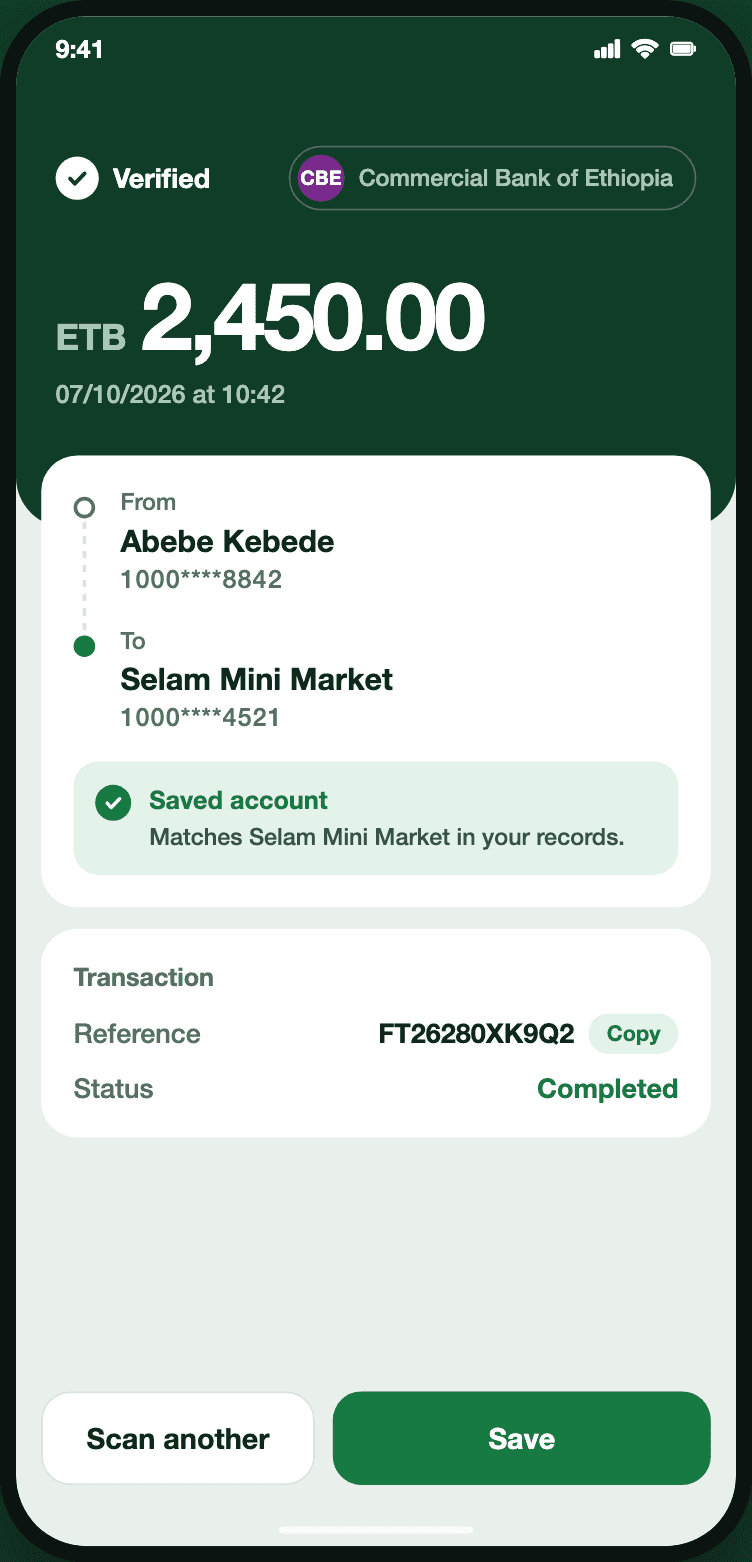
Scan, confirm, save. Then finish the sale.
One clear action in every state, so a clerk is never hunting while a customer waits.
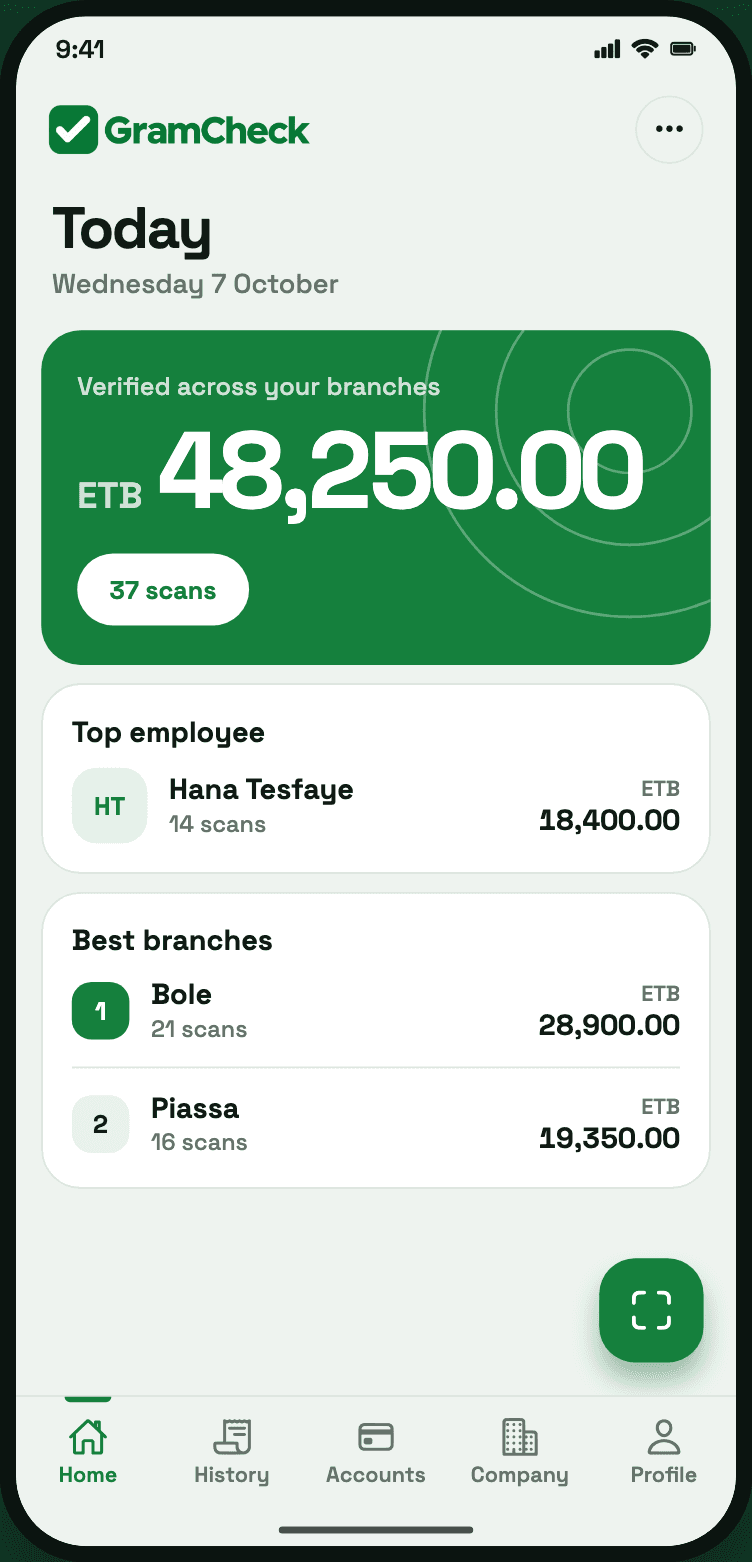
Scan the QR
Open the camera from the till, point it at a CBE, BOA, Awash, Telebirr, or M-PESA payment code, and GramCheck reads the reference.
Read the receipt
The result is a confirmation slip: amount first, then payer, receiver, and reference. Status is written in words a cashier can read at a glance.
Save it
Keep the verified receipt in today’s history, scoped to a branch when you work for a company. Scan another, or move on with the sale.
Owners run the shop. Employees scan.
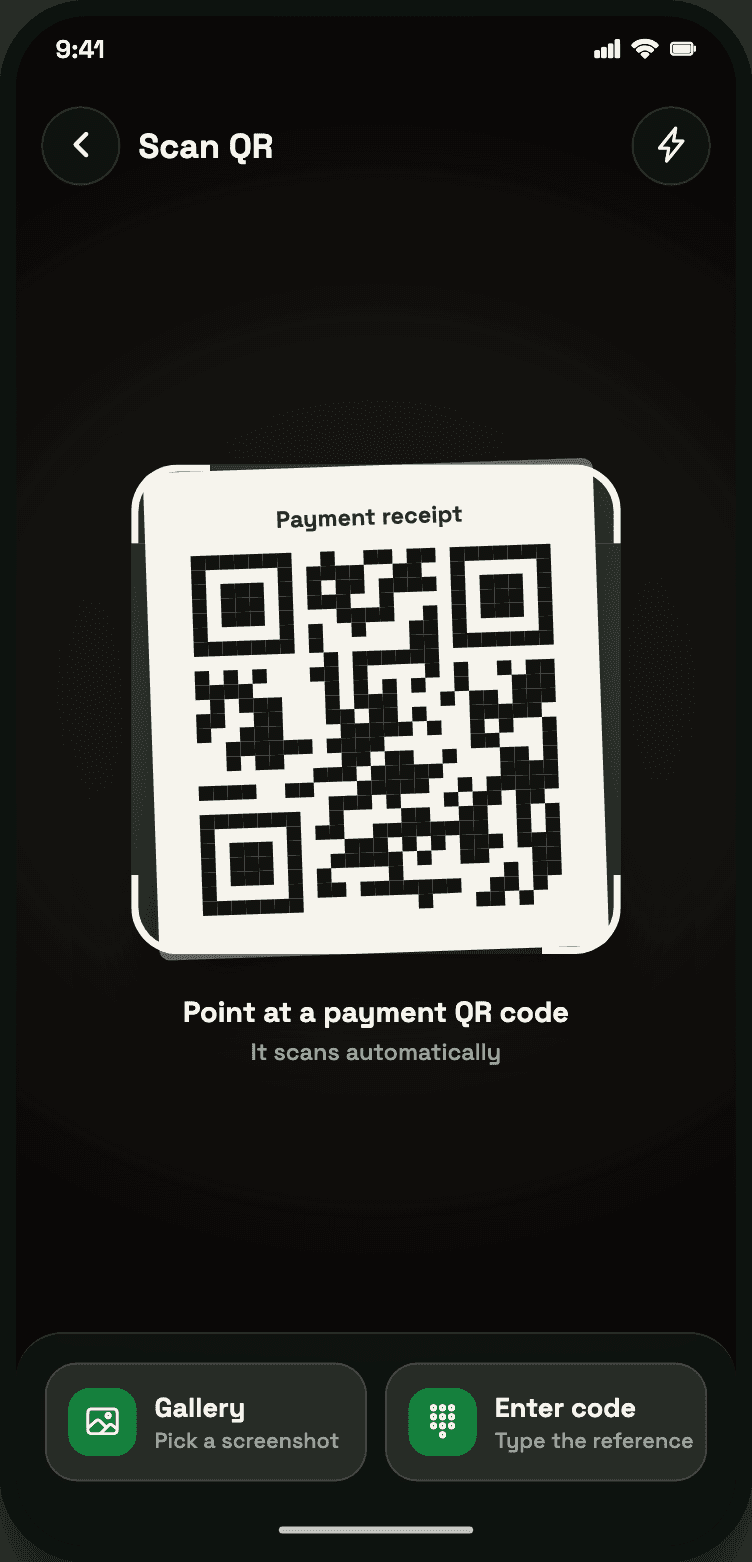
The Company tab is for owners: branches and the people who stand at them. Employees open the scanner from the till and save receipts against the branch they work in.
Employees on the floor
Invite the people who stand at the till. Their scans roll into the company total. Home names the top employee for the day.
GRAMCHECK
Sample day, Wed 7 October
Verified across your branches
ETB 48,250.0037 scans
Best branches
- 1Bole
21 scans28,900.00 - 2Piassa
16 scans19,350.00
Top employee
Hana Tesfaye
14 scans18,400.00
Every receipt, kept for later.
Verified payments are saved with who took them and where, so you can look one up when a customer, a manager or an accountant asks.
A history you can audit.
Saved receipts live under the business account. Filter today, this week, or this month. Open a slip for amount, parties, and reference. Delete a row when it should not have been kept.
| Time | Bank | Saved by | Amount in ETB |
|---|---|---|---|
| 10:42 | CBE | Hana Tesfaye, Bole | 2,450.00 |
| 10:17 | Telebirr | Dawit Alemu, Piassa | 860.00 |
| 09:31 | Awash | Hana Tesfaye, Bole | 5,200.00 |
| 09:12 | BOA | Dawit Alemu, Piassa | 1,940.00 |
| 08:54 | M-PESA | Meron Girma, Megenagna | 375.00 |
Merchant accounts you receive into.
Keep the bank and mobile-money accounts that belong to the shop: name, number, and provider logo. Tie a verification to the till that took the money.
- CBE 1000****4521
- Selam Mini Market (sample)
- Telebirr 2519****0101
- Selam Mini Market (sample)
- Awash 0132****2290
- Selam Mini Market (sample)
Sign in the way the shop already works
Phone number and password, or continue with Telegram. Sign up as an individual or as a shop owner. Owners add a company name on the way in.
Sign in with Telegram if that is how the shop already talks.
Built for the phone in the cashier’s hand.
GramCheck is an iOS and Android app used during or right after payment. Point, read, save. The Android app is on Google Play now.
Opens the GramCheck listing in the Play Store.